Docs/Game data/Variables
Variables
Track values that change during play — coins, level, score — and persist them across player sessions.
Last updated 2026-06-15
What is this?
Variables are how Verse Builder keeps state. Whenever your game tracks something that changesas players play — coins earned, current level, kills this round, whether the boss has spawned — that's a Variable.
Unlike Config (values designers tweak in UEFN before launch) and Messages (fixed text), Variables are live values your rules can read and write.
When do I need it?
- Currency —
coins,gems,xp. Per-player, usually persistent. - Progression —
player_level,prestige_level,quest_step. - Game state —
round_number,current_zone,boss_spawned(bool). - Counters —
kill_count,headshot_count(often non-persistent, resets every round).
Walkthrough: add a coins variable
We'll add a per-player coins counter that survives disconnects, then wire it into a rule.
Open Game Data → Variables
From any device file, click the Game Data tab at the top, then select Variables in the sub-tab bar. New projects open here by default.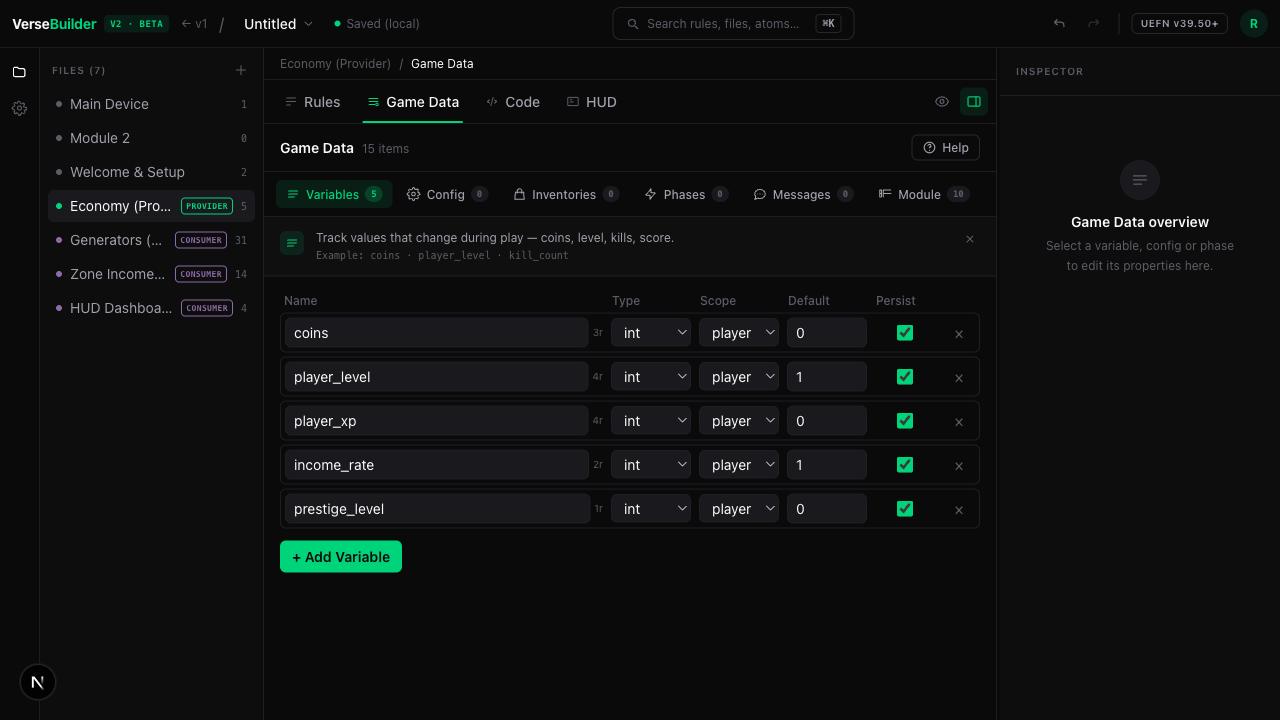
The Variables tab is the leftmost — and the most-used — sub-tab in Game Data. Click + Add Variable (or load the pattern)
On an empty Variables tab, you can either Add common stats (coins, level, xp) to seed three useful variables at once, or click the + Add Variable button to add one manually.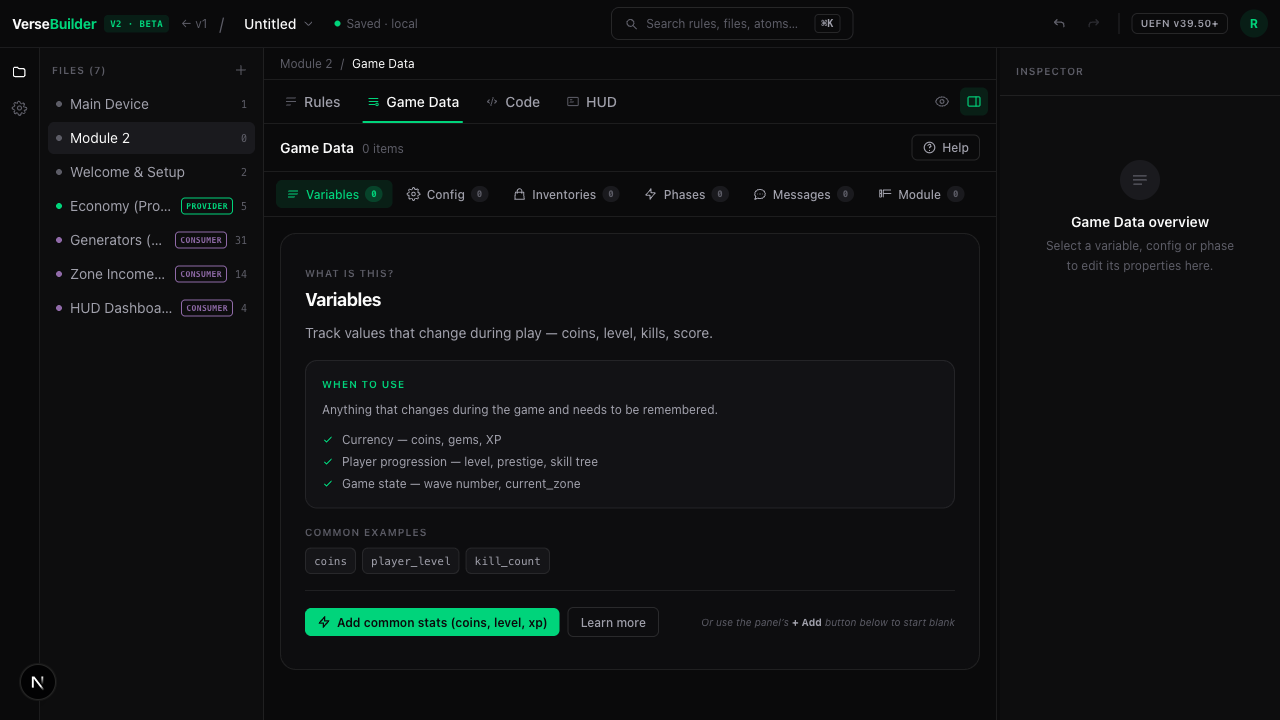
The educational empty state explains the concept and offers a starter pattern. Name it, type it, scope it
A row appears with default values. Edit the Name tocoins, leave Type asint, set Scope toplayer, Default to0, and tick Persist so it survives a disconnect.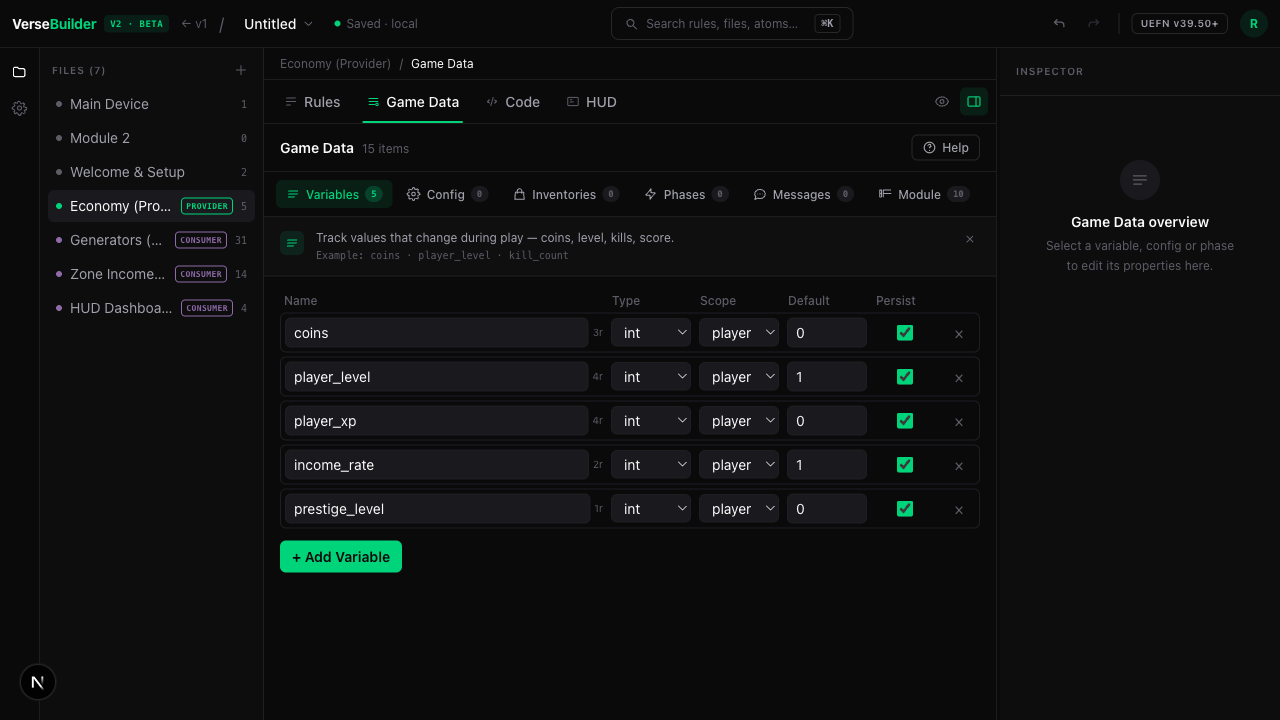
Variable settings in one row — name, type, scope, default, persist. 💡 Tip
Variable names are snake_case automatically — if you typeMyCoins, Verse Builder converts it tomy_coins.Use it in a rule
Open the Rules tab. Add a rule with WHEN On Elimination → DO Increment Variable, then pickcoinsas the target and10as the amount. Every elimination now gives the eliminator 10 coins.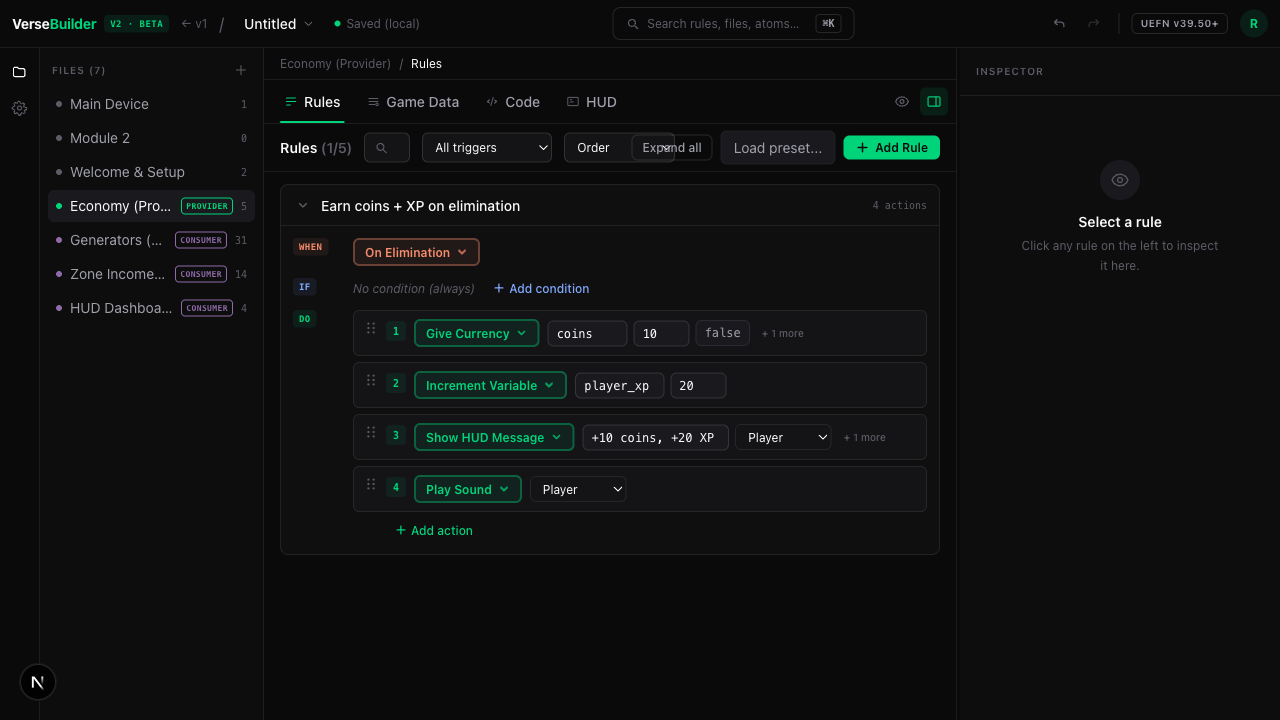
Inside a rule, the variable is selectable from a dropdown. Show it on the HUD
Use the Show Variable HUD action to push the current value to the HUD. The action takes a single param — the variable to display.UpdateCoinsHUD(Player) # refreshes the bound HUD text block with GetCoins(Player)Verse output (excerpt) generated for the coins HUD action. 📌 Note
Where do I set the text format and position? On the HUD widget itself, not on the rule action. Open the HUD tab, bind a widget tocoins, and edit its label template (e.g."💰 {value} coins") and on-screen position there. That widget is the single source of truth for what the player sees.
Common patterns
Currency loop
Per-player int currency that increments on certain events and decrements on purchases.
- Type:
int· Scope:player· Persist: on - Common atoms:
increment_variable,decrement_variable,compare_variable(for "has enough" gates).
Progression / leveling
Two variables working together: an experience counter that drives a level increment.
player_xp(int, player, persist) — increments on actionsplayer_level(int, player, persist) — increments whenplayer_xp ≥ threshold
Round counters
Non-persistent counters that reset at the start of each round.
kill_count(int, player, persist OFF) — reset viaset_variable kill_count = 0on the round-start event.
Gotchas
⚠️ Watch out
coinsisn't persistent, they lose everything. Always persist progression.⚠️ Watch out
boss_spawned, not for per-player stats. Mixing scopes is the #1 source of bugs.📌 Note
What gets generated?
A persistent per-player int like coins compiles to a persistable player-data class field, with helper accessors emitted in your device:
# ONE persistable class holds every persistent player var (1 weak_map total)
player_stats := class<final><persistable>:
    Version:int = 0
    Coins:int = 0

var PlayerStats : weak_map(player, player_stats) = map{}

# Inside your device — accessors per variable (expression style, no return keyword):
GetCoins(Player : player):int=
    if (Stats := PlayerStats[Player]):
        Stats.Coins
    else:
        0

SetCoins(Player : player, Value : int):void=
    if (Stats := PlayerStats[Player]):
        set PlayerStats[Player] = MakePlayerStats(player_stats{Stats, Coins := Value})
All persistent player variables share one player_stats class + one weak_map(Verse caps weak_maps at 4 per device). You don't need to read the Verse to use Variables — every rule that touches coins just calls GetCoins / SetCoins behind the scenes.
💡 Tip
See also